|
Presentation: Friday, January 20, 2012
"Creating and Sharing Digital Content" Butler County Co-op Augusta Kansas Time: 1:00 – 2:30 P.M. |
Presentation Materials
Creating and Sharing Digital Media (PowerPoint) Digital Learning Day Resources Mike King Digital Portfolio Campfires |
Flipping Your Classroom with eBooks
|
|
Learn how you can join the ePub generation by creating a text featured multimedia integrated mobile learning environment. In this presentation by Mike King, participants will learn different technology integration tools, like Google Docs, dropbox, Calibre, and Creative Book Builder to convert and store interactive curriculum materials for student learning. These new converted resources can be easily distributed over a network through scanning QR codes on mobile learning devices such as iPod, iPads, cell phones and tablets. |
The presentation will introduce the pedagogy associated with flipped classrooms while providing the tools necessary to create and store dynamic digitally formatted lessons. Part two of the workshop will provide illustrated information on how to embed within the text of a digital book, recordings, movies and illustrations to publish in iBooks or other mobile reading devices. (PowerPoint Presentation on Creative Book Builder)
QR Codes & Mobile Learning |
Creating an eBook on iPad |
|
The Flipped Classroom View more presentations from Knewton |
"The New Alexandrian Libraries of the Future"
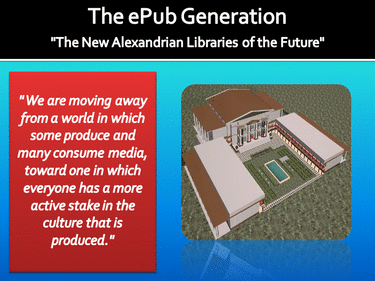
As first light shines on the 21st Century, Americans are once again experiencing a profound and rapid shift–from the Industrial Age to the Information Age and into the Conceptual Age. " We are moving away from a world in which some produce and many consume media, toward one in which everyone has a more active stake in the culture that is produced."
From the Internet’s inception its creators envisioned a universal substrate linking all mankind and its arti-facts in a seamless, interconnected web of knowledge. This is the World Wide Web’s great promise: an Alexandrian library of all past and present information an a platform for collaboration to unite communities of all cultures in any conceivable act of creative enterprise. It is with these thoughts that education will experience what historians will call the Third Revolution, a transition to a knowledge-base of conceptual linking of the internet to co-collaborative read and write websites of the creation of the Alexandrian libraries of the future.
From the Internet’s inception its creators envisioned a universal substrate linking all mankind and its arti-facts in a seamless, interconnected web of knowledge. This is the World Wide Web’s great promise: an Alexandrian library of all past and present information an a platform for collaboration to unite communities of all cultures in any conceivable act of creative enterprise. It is with these thoughts that education will experience what historians will call the Third Revolution, a transition to a knowledge-base of conceptual linking of the internet to co-collaborative read and write websites of the creation of the Alexandrian libraries of the future.
|
To secure the workplace of the future, young people will need the skills and knowledge base associated with Literacy 2.0 shared canvases, where every splash of painted knowledge provides a richer tapestry of in-depth understandings of the world in which they live. To succeed in education reform schools must be broadly driven by forward-thinking educational technology minded visionaries. These visionaries must articulate clear andcompelling vision of optimal characteristics that encourage technology-supported education reform that focuses on preparing students to live, learn, and work in the 21st century.
|
|
A Rising Power to New Mediums of Web-Found Learning
|
Throughout the history of American education, classrooms have been self contained entities. Innovations in technology are giving rise to powerful new models of collaboration. Perhaps in the not quite distant future these classrooms will merge on a new venture. A venture while making profound changes in the way education is delivered to students.Students in Junior High, High School and college are now finding means to communicate through the use of social networking tools, such as blogs, wikis and chat rooms. Although these types of collaborations may not be school related they have become Americas youth pastime. While at the same time a majority of schools have yet to be exposed to future capabilities of these new technology tools.
|
|
|
|
The reason being is that education has not recognized the full potentials of Web Found Learning. This is not to say that new graduates in the field of education have not identify the capabilities, thus establishing a sizable gap for new understanding of the potentials of harnessing mobile learning opportunities. Secondly, more advance schools will begin to encourage Web Found online communities of knowledge gathering, while the less advanced thinking schools will take a back seat, wait and see attitude. This new world of mobile begins now with a different school of thought. A new company has opened its doors in redefining mobile learning opportunities through Linkling. Linkling provides mobile learning textbooks for the "now" generation of learners.
|
Expanding the Quantity and Quality of Web Found Learning
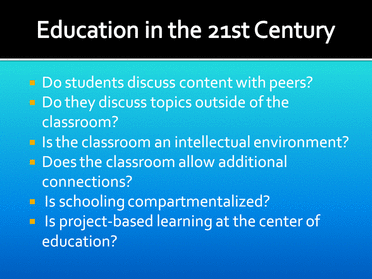
The primary focus for educators should be on expanding the quantity and quality of ways in which the learner is exposed to content and context. Educators should design extended learning opportunities in ways that immerse students in content by using various existing technology tools that include wiki’s, blogs, and multi-media interactive eBooks. The premise of expanding educational delivery in ways to include Web 2.0 Founded opportunities is constructed around the idea that the more children can experience what they are learning and the more teachers immerse students in the learning process the more engaged students will become in interacting, listening, viewing and valuing their education. To illustrate a deeper understanding of the real issues that lay at the forefront of education in the 21st Century lies in the answers to the following questions:
The Flipped ClassroomThe flipped classroom provides avenues for teachers to become facilitators of learning and move away from the sage on a stage approach to teaching. The foundational concepts of instructors guiding students or facilitating their progress are based on the idea that the instructor is no longer at the center of the interaction and application of knowledge. The instructor remains available to students as a facilitator of resources, a resource who should frequently check students for understanding for their learning. The teacher, when necessary will provide guidance in how to process the information for a unit of study. The facilitators role changes dramatically in that the teacher becomes a source to students in how to better use the resources, process information and apply core concepts to real life situations.
|
What is A QR Code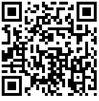
A QR Code is a two bdimensional bar code which when scanned using your camera phone enables you to access some pre-written content or complete a task. It could be a facilitator to reading some text, accessing a web site or sending a text message or an email. For example, scanning the QR Code to the left will open the digitalsandbox website at on your mobile phone.
|
|
Dropbox
Dropbox is a Web-based file hosting service that uses cloud storage. The downloadable open source software application allows users to store and share files and folders with others across the Internet using file synchronization. Dropbox provides 2 GB of free online storage. Dropbox is a useful storage device in the eBook environment because it allows the creator to temporarily store the eBook creation before the eBook is posted online. In this portion of the tutorial storage and upload options for newly created eBooks will be explored.
|
|
YouTube Downloader
YouTube Downloader is a useful desktop for down-loading YouTube video files. The downloader can also be used to convert most video formats fromFLV, AVI, WMV, and MPEG4. The program is easy to use, just specify the URL for the video you want to download and select the Ok function. It also allows users to convert downloaded videos for iPod, iPhone, PSP, Cell Phone, Windows Media, XVid and MP3. Allows users to access YouTube videos, The leagal age for use of the program for is 18 and above. The converter also plays the videos in a preview player built into the converter.
|